ROM library and scanning
Add one or more ROM folders, organised however you like. Nostyra classifies each file by its content and builds one library for all systems.
Available on: All 16 systems.
Related systems: GameCube, PSP
Written by vivusk, Nostyra maintainer Last reviewed Based on the Nostyra README and release notes
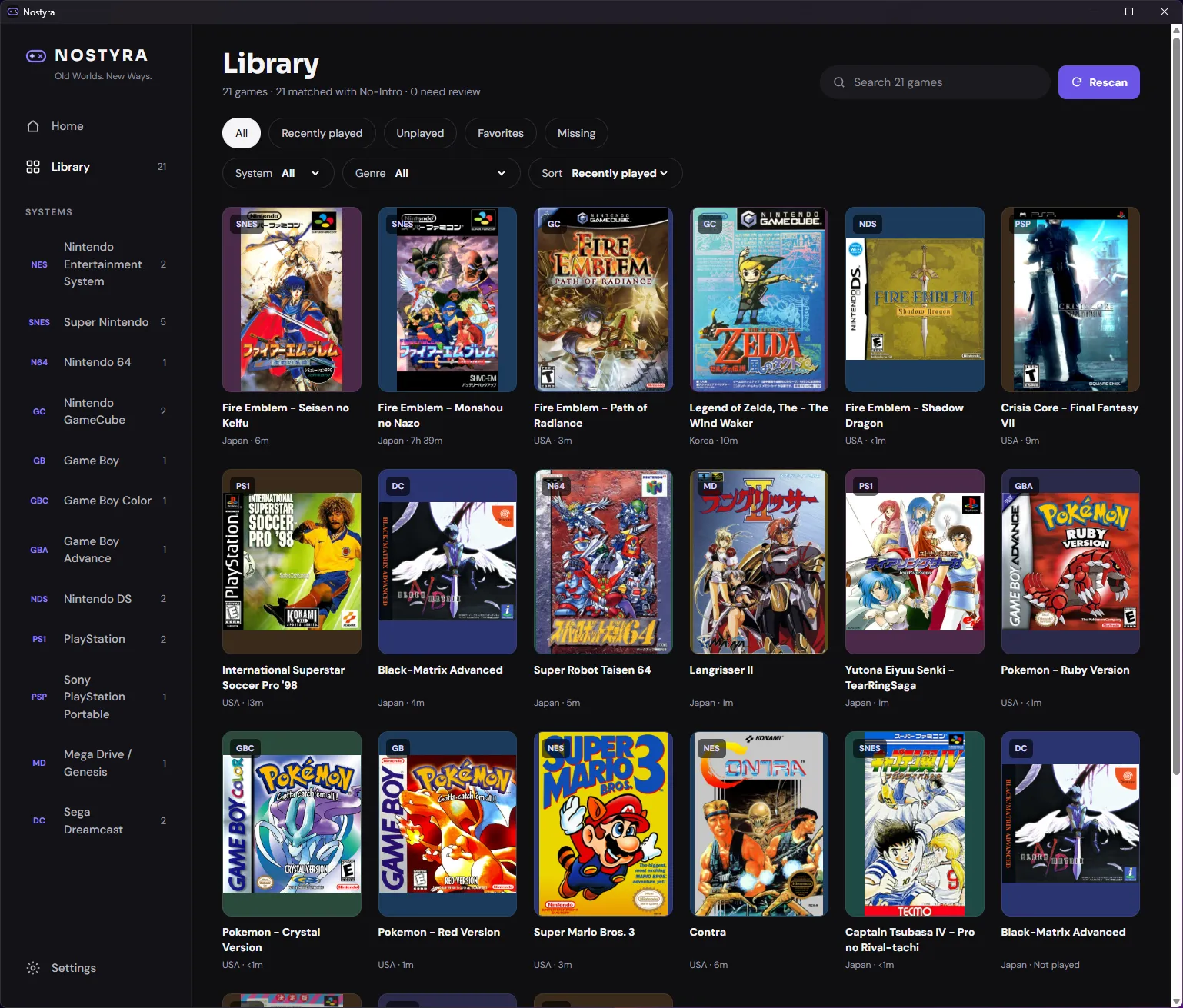
How files are detected
- Folder names are never used. A file is classified by its extension and its content: cartridge headers, disc boot files, game IDs.
- Files that cannot be added (a cue sheet with a missing track, a DSi-only game, a broken header) are listed under "files not added" with the reason.
- Multi-file games (cue + bin, gdi + tracks,
.m3uplaylists) appear as one game.
Moved and renamed files
- Each game is tracked by its content ID. Moving or renaming a ROM keeps its play time, favourite, edited metadata, saves and per-game settings.
Browsing
- Home, Library (search, system and genre filters, sort), game Detail pages, play time tracking and favourites.
Known limits
- Zip and 7z archives are not read: extract games first.
Other features
Metadata and artwork
Games are identified offline against bundled databases, then covers and screenshots are downloaded per game into a local cache.
Controls and remapping
Every game button and the 8 shortcuts can be remapped for keyboard and gamepad, for all games or for one game.
PS4, PS5 and Xbox controllers
Nostyra reads gamepads through SDL3. Gamepads work out of the box, and the Controls editor shows Xbox or PlayStation button labels to match your pad. The DualSense (PS5) has been tested by the maintainer.
Download Nostyra
Free and open source. Portable zip, no installer, no account.
Download for Windows
macOS (planned)
Linux (planned)
iOS (planned)
Android (planned)
Version 0.1.0 · 25.9 MB zip · Windows 10 / 11, 64-bit
Hosted on GitHub Releases. First time? Read the install guide.